 Simple CV
Build a CV that lands interviews
Pick from 33+ templates, fill in your details, and export a clean PDF. When you want a second opinion, the built-in AI scores your draft and shows you what to fix.
4.5 on the App Store · 4.1K ratings
Position
Company
From
Until
Daniel Okafor
Senior Product Designer
Summary
Product designer with 8 years shaping calm, accessible interfaces for fintech and productivity tools. I lead design systems work and partner closely with engineering from first sketch to ship.
Experience
Senior Product Designer · Northwind
2022 — Present- Led the redesign of the onboarding flow, lifting activation 24%.
- Built and maintained a 60-component design system used by 4 squads.
Product Designer · Atlas Labs
2019 — 2022- Shipped the mobile dashboard from research through to release.
- Ran a weekly critique that became a company-wide practice.
Education
B.A. Visual Communication
Rhode Island School of Design · 2015
Skills
Strong
Content · Tone
Everything to go from blank page to sent
Templates that hold up, AI feedback when you want it, and export when you're done.
A focused editor with live preview
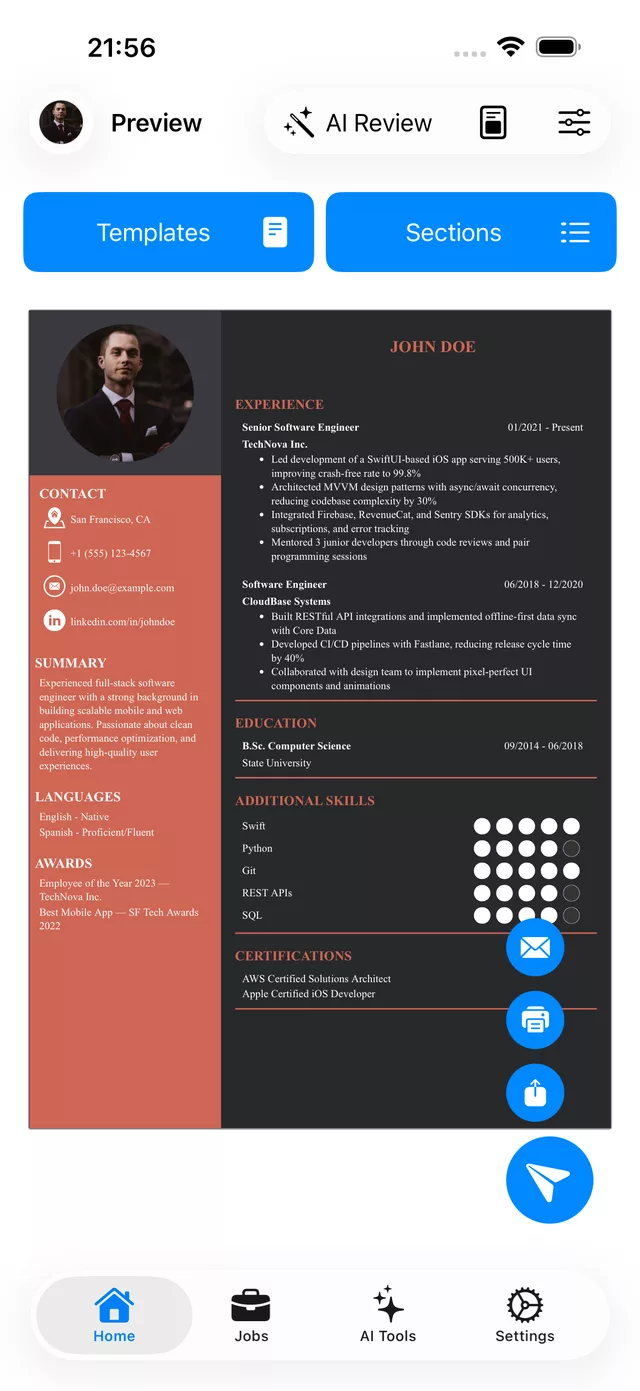
Edit your CV and watch it update as you type. Drag to reorder sections, format bullets with rich text, and build a matching cover letter alongside it.
33+ recruiter-ready templates
Classic, casual, professional, and premium designs, plus matching cover letters. Start from a filled-in example, then change the colors, fonts, sections, and order to fit you.
Cover letters too
Write a matching cover letter beside your CV with its own templates, and let AI draft one tailored to a specific job.
AI review with an ATS score
Score your CV out of 100 across content, completeness, contact details, keywords, and tone, with specific fixes for weak lines. Paste a job description to check keyword match, or upload an existing PDF to review it.
AI writing help, on your terms
Generate a summary from your experience, rewrite a bullet so it lands harder, or draft a tailored cover letter for a job. You review and approve every change.
Interview prep and job match
See how your CV matches a role, with the skills you have and the ones you're missing, then practice with interview questions tailored to your CV and the job, each with talking points.
One-click PDF export
Download a clean, consistent PDF that looks the same everywhere. Free on the classic and casual templates.
In sync on web and iPhone
Your CVs live in one account. Start on the web, polish on the iOS app, and export from either, always up to date.
Any language
Write your CV in any language and the templates handle the script. The app is localized in several languages too.
Your CV in your pocket
The app job seekers have trusted for five years, rated 4.5 stars by more than 4,100 people. Edit on the move, review, and export, all synced with the web.

4.5 on the App Store · 4.1K ratings
Save jobs as you browse, track every application
Add the Simple CV extension to clip roles from LinkedIn, Indeed, and more in one click, then organize your whole search on a clean board with built-in analytics.
Also available on Firefox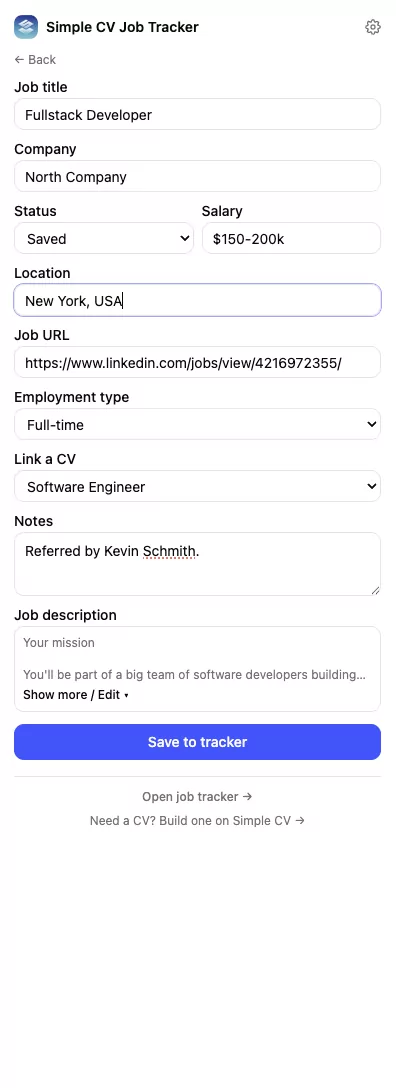
Common questions
Everything worth knowing before you start.
Is Simple CV free?
Building and editing your CV is free, and you can export it at no cost on the classic and casual templates. The professional and premium designs and the AI features are part of a subscription.
Do I need the iOS app?
No. Everything works in your browser. The iOS app is optional, and if you use it, your CVs stay in sync through the same account.
Will my CV get past applicant tracking systems (ATS)?
The templates are clean, single-column layouts that parse well. Paste a job description into the AI review and it checks how closely your CV matches the keywords for that role.
Can I use a resume I already have?
Yes. Upload it as a PDF to get an instant review and score, or let the AI turn it into a fresh, editable draft.
What does the AI actually do?
It reviews and scores your CV, writes summaries, rewrites bullet points, drafts cover letters, and prepares interview questions and job-match insights. You review and approve every change, and since AI can make mistakes, always give it a read.
Is my data private?
Your CVs are yours. You can export or delete them whenever you want, and we never sell your data.
Build a CV you're proud to send
Start free in your browser. No credit card, and no watermark on your export.
4.5 on the App Store · 4.1K ratings