 Simple CV
L'application de création de CV pour iPhone et iPad
Simple CV est un créateur de CV professionnel que vous emportez dans votre poche. Créez votre CV à partir d'un modèle épuré, affinez-le avec une analyse IA, ajustez-le à de vrais postes et exportez un PDF prêt pour les recruteurs en un geste.

4.5 sur l'App Store · 4.1K notes
Sur l'App Store depuis 2021. Téléchargement gratuit, sans filigrane sur votre export.
33+
Modèles de CV, gratuits et premium
AI
Analyse, correspondance d'emploi et préparation aux entretiens
Export en un geste qui ne casse jamais
2021
Plébiscité sur l'App Store depuis
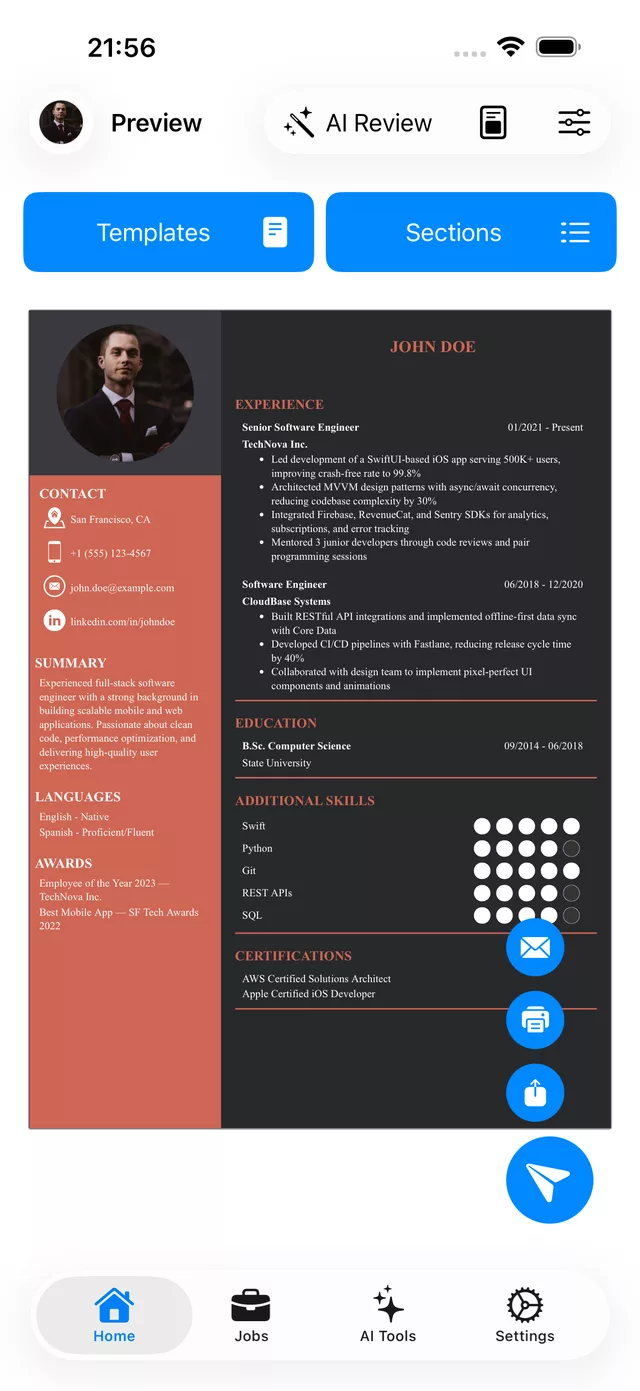
Voyez votre CV prendre forme au fil de la frappe
L'éditeur et la page se côtoient. Ajoutez votre expérience, votre formation et vos compétences, et le CV mis en forme se met à jour instantanément, pour que vous sachiez toujours exactement comment il apparaîtra à l'envoi.
- Changez de modèle sans perdre un mot de votre contenu
- Réorganisez, ajoutez ou masquez n'importe quelle section en quelques secondes
- Imprimez, partagez ou exportez en PDF directement depuis l'aperçu
- Synchronisé avec votre compte web, pour continuer sur l'éditeur de bureau
Des modèles de CV professionnels pour chaque domaine
Partez d'une mise en page épurée et appréciée des recruteurs, puis faites-en la vôtre. Choisissez un modèle gratuit, débloquez la collection premium, ou commencez d'une page blanche ou d'un brouillon généré par l'IA. Des modèles de lettres de motivation sont aussi intégrés.
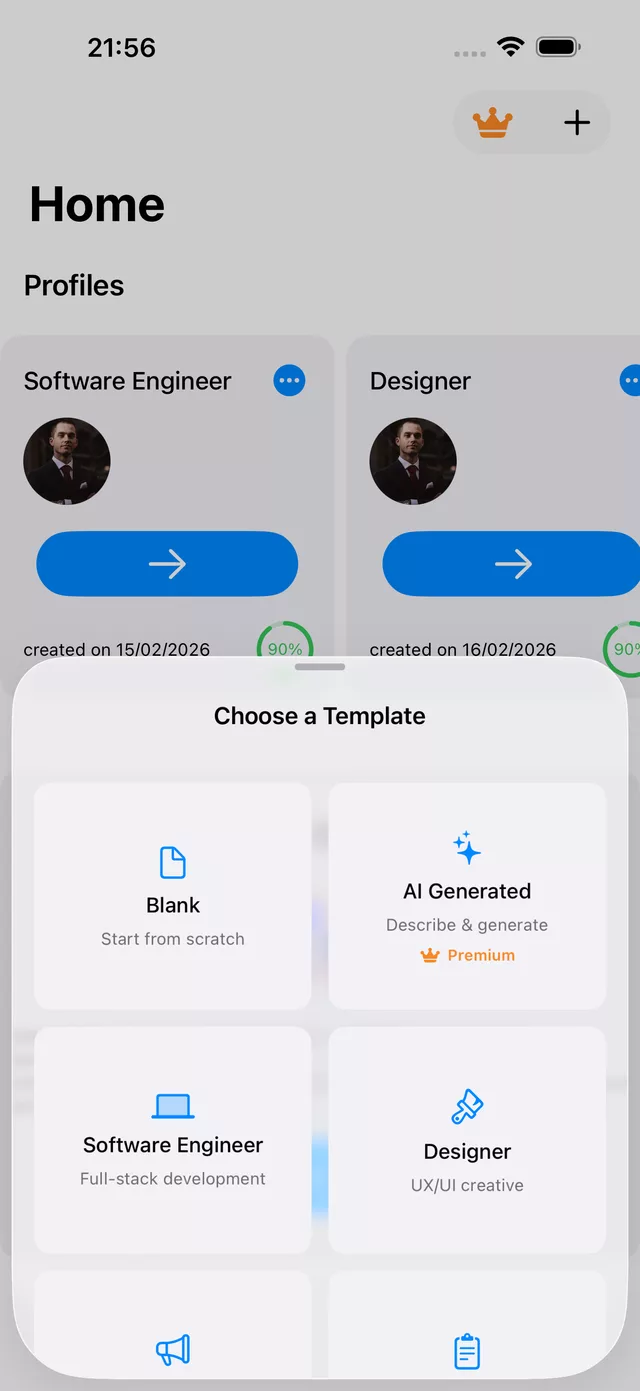
Commencez à votre façon
Page blanche, point de départ selon le métier, ou brouillon généré par l'IA à partir d'une courte description.
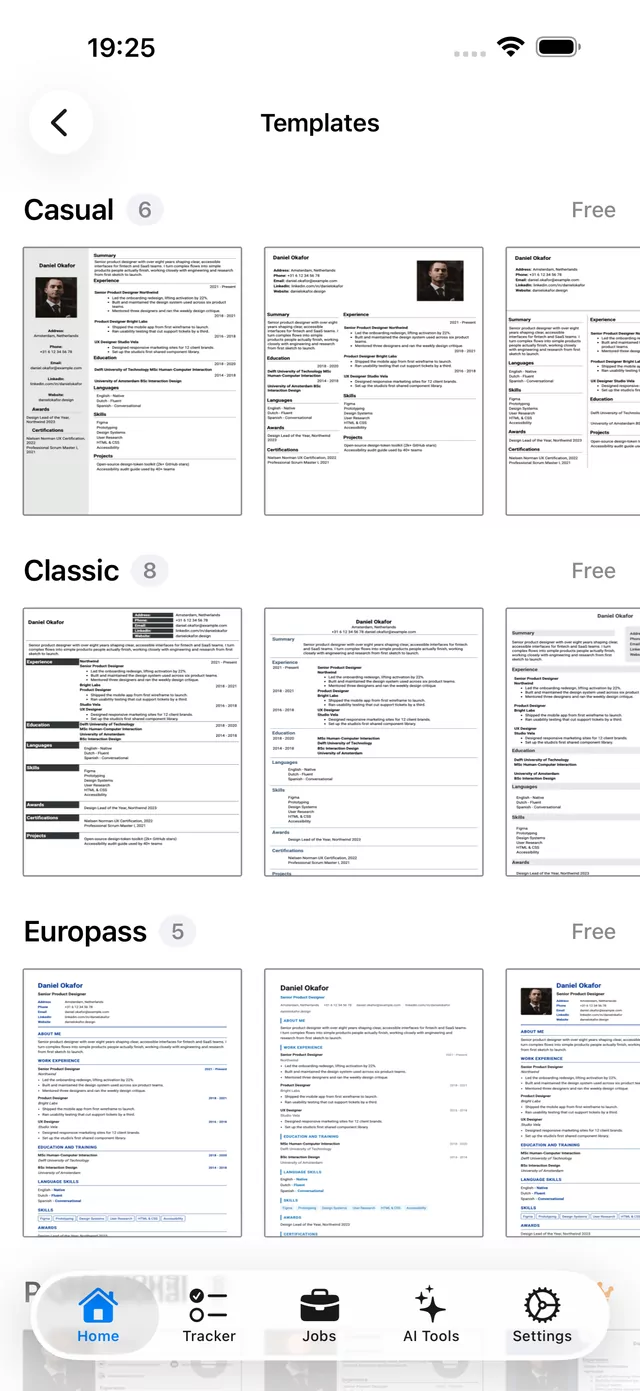
Modèles gratuits
Un ensemble complet de mises en page épurées et compatibles ATS, à utiliser et exporter sans frais.
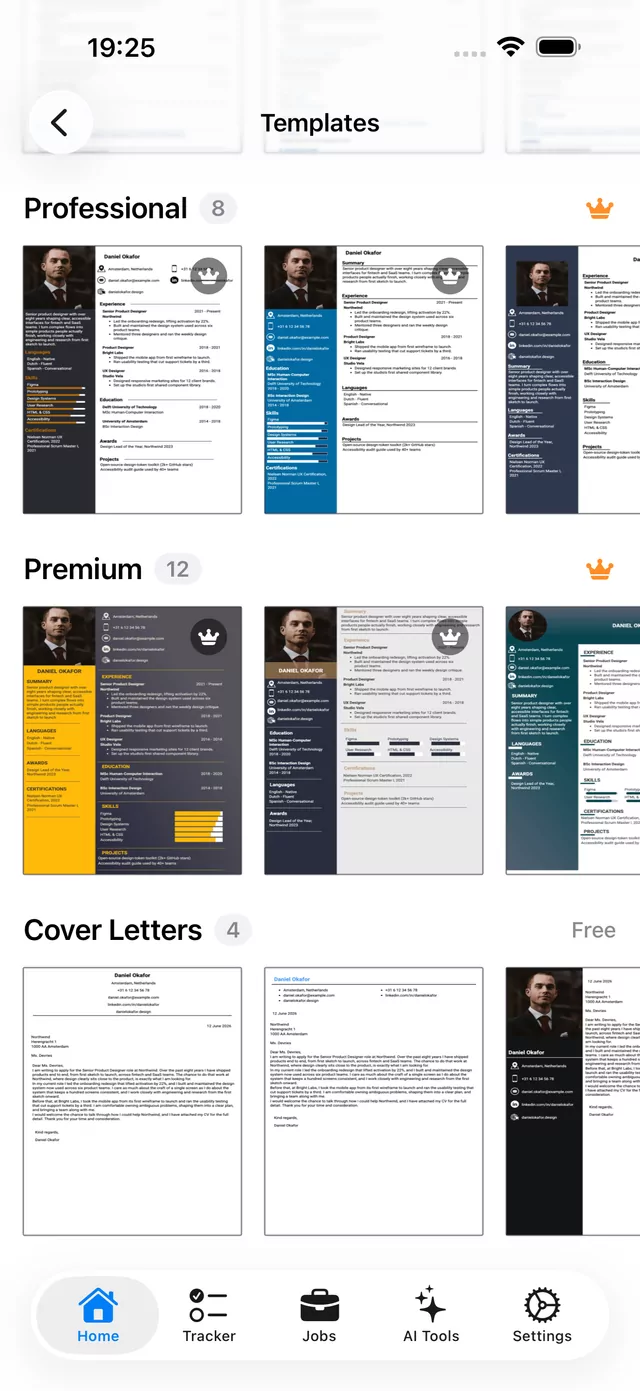
Modèles premium
Des designs sur deux colonnes plus affirmés, avec barres latérales et jauges de compétences pour se démarquer.
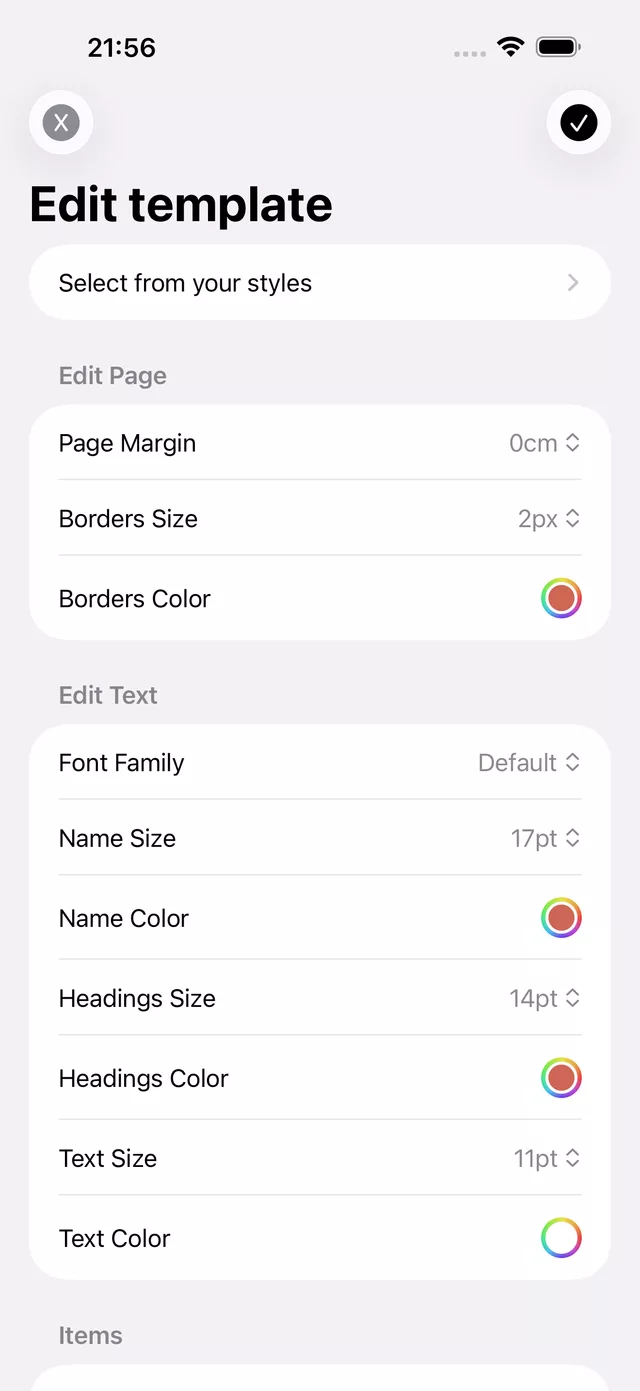
Maîtrisez chaque détail de la page
Ajustez finement les marges, les bordures, les polices et les couleurs jusqu'à ce que le CV corresponde au ton voulu. Réglez la taille du nom et des titres, définissez votre couleur d'accent, et enregistrez l'apparence comme un style réutilisable.
Typographie
Police ainsi que tailles du nom, des titres et du corps
Couleur
Accent, titres, bordures et texte
Espacement
Marges de page et épaisseur de bordure
Styles enregistrés
Réutilisez une apparence sur plusieurs CV
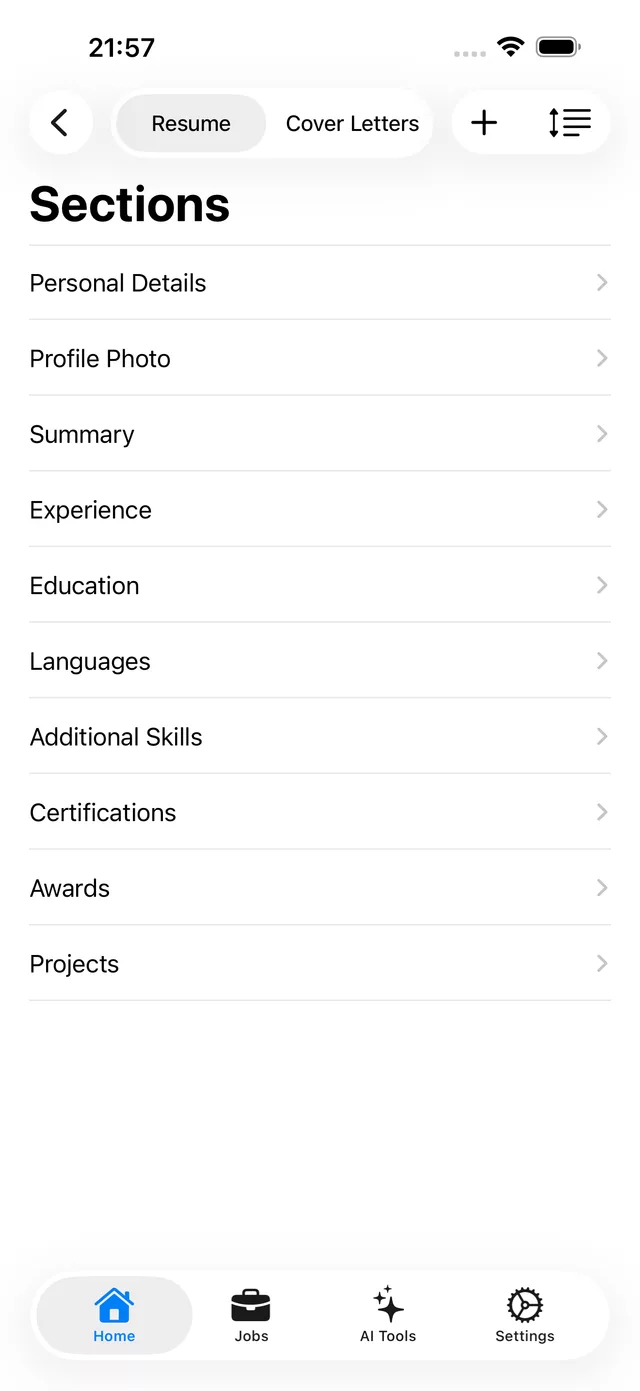
Chaque élément d'un CV solide, intégré
Informations personnelles, photo de profil, résumé, expérience, formation, langues, compétences supplémentaires, certifications, distinctions et projets. Ajoutez ce dont vous avez besoin, masquez le reste, et réorganisez par glisser-déposer.
Une IA honnête qui vous aide à postuler en confiance
Obtenez une lecture claire de votre CV avant qu'un recruteur ne le voie. L'IA note votre CV, le compare à un poste précis et transforme l'écart en un plan ciblé de préparation aux entretiens. Vous décidez de ce que vous mettez en œuvre.
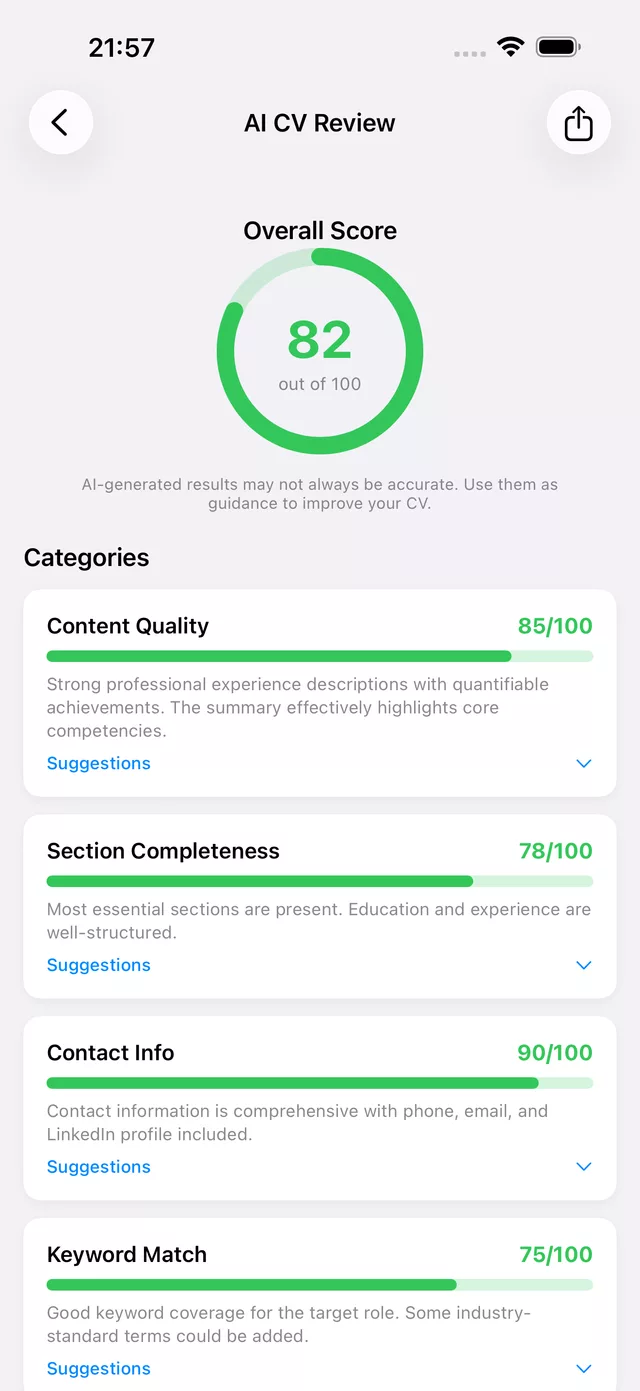
Analyse IA du CV
Un score global plus un détail par qualité du contenu, complétude, coordonnées et correspondance des mots-clés, chacun avec des suggestions.
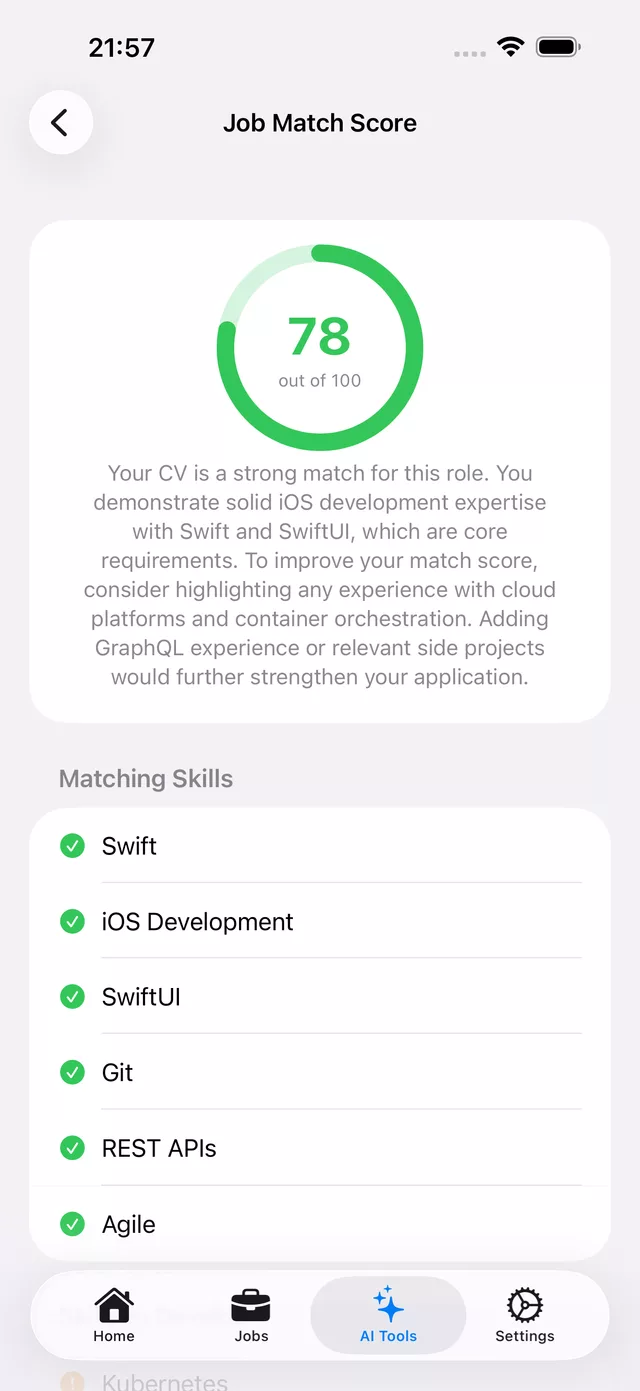
Score de correspondance d'emploi
Voyez dans quelle mesure votre CV correspond à un poste précis, avec les compétences qui correspondent et ce qu'il faut ajouter pour combler l'écart.
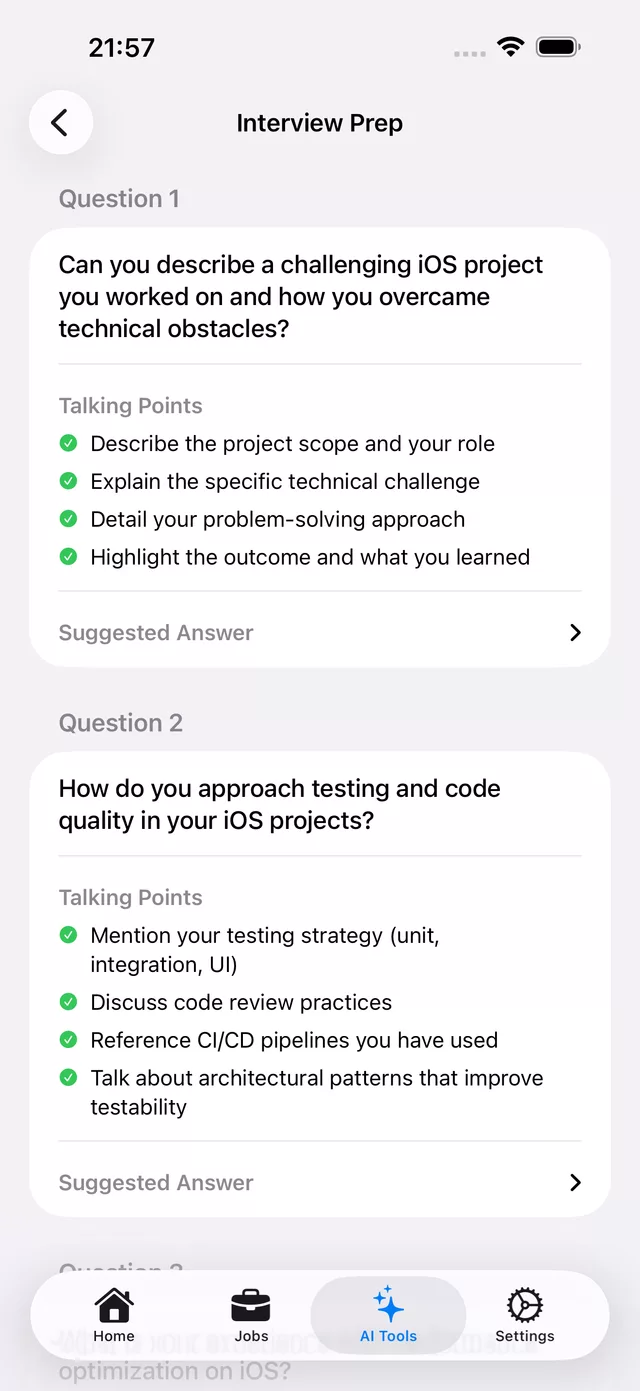
Préparation aux entretiens
Des questions propres au poste avec des points clés et une réponse suggérée pour chacune, générées à partir de votre CV.
Les résultats générés par l'IA sont une orientation, pas une vérité absolue. Examinez chaque suggestion et n'appliquez que ce qui correspond à votre expérience.
Trouvez des postes et postulez avec le bon CV
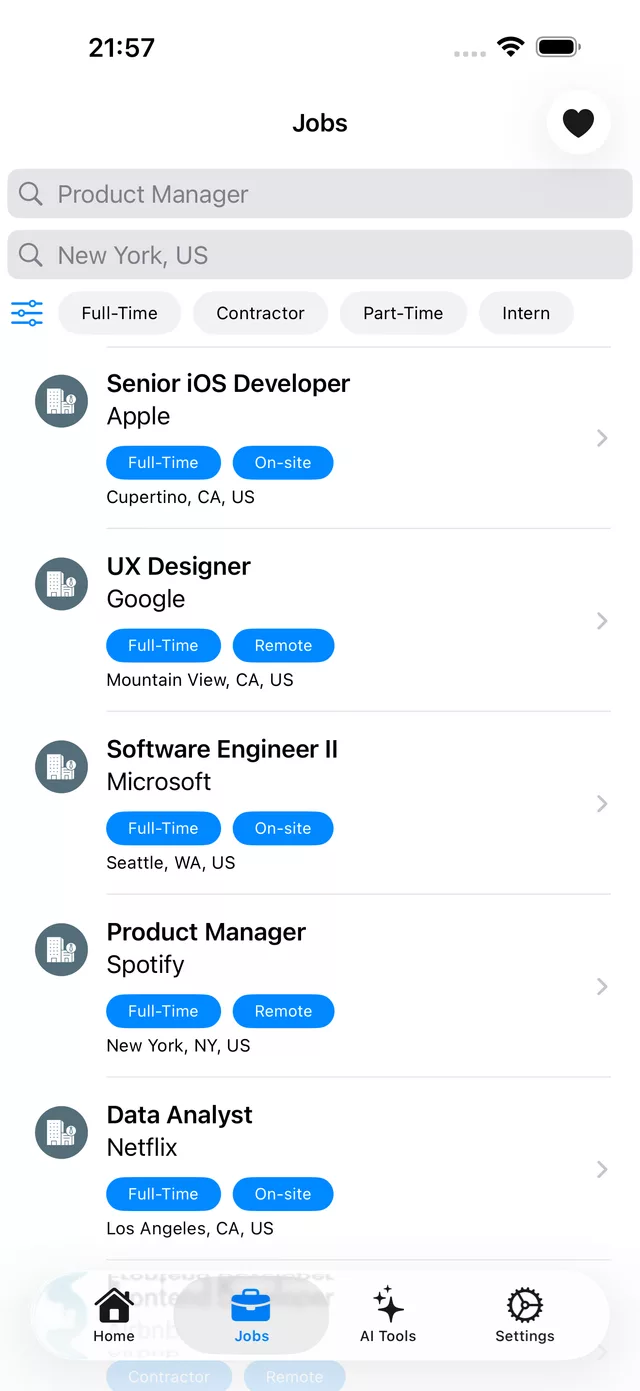
Recherchez des emplois par intitulé et lieu, filtrez par temps plein, contrat, temps partiel ou stage, et enregistrez ceux qui valent la peine. Associez chaque annonce à votre Score de correspondance d'emploi pour postuler là où vos chances sont les meilleures.
- Recherchez et filtrez les postes par type et par lieu
- Enregistrez des emplois et regroupez les versions de CV adaptées
- Vérifiez votre score de correspondance avant de postuler
Suivez chaque candidature au même endroit
Enregistrez des offres et faites-les passer par les étapes Enregistrée, Envoyée, Entretien et Offre. Gardez les détails du poste, le salaire, les contacts et vos notes, et visualisez votre entonnoir d'un coup d'œil.
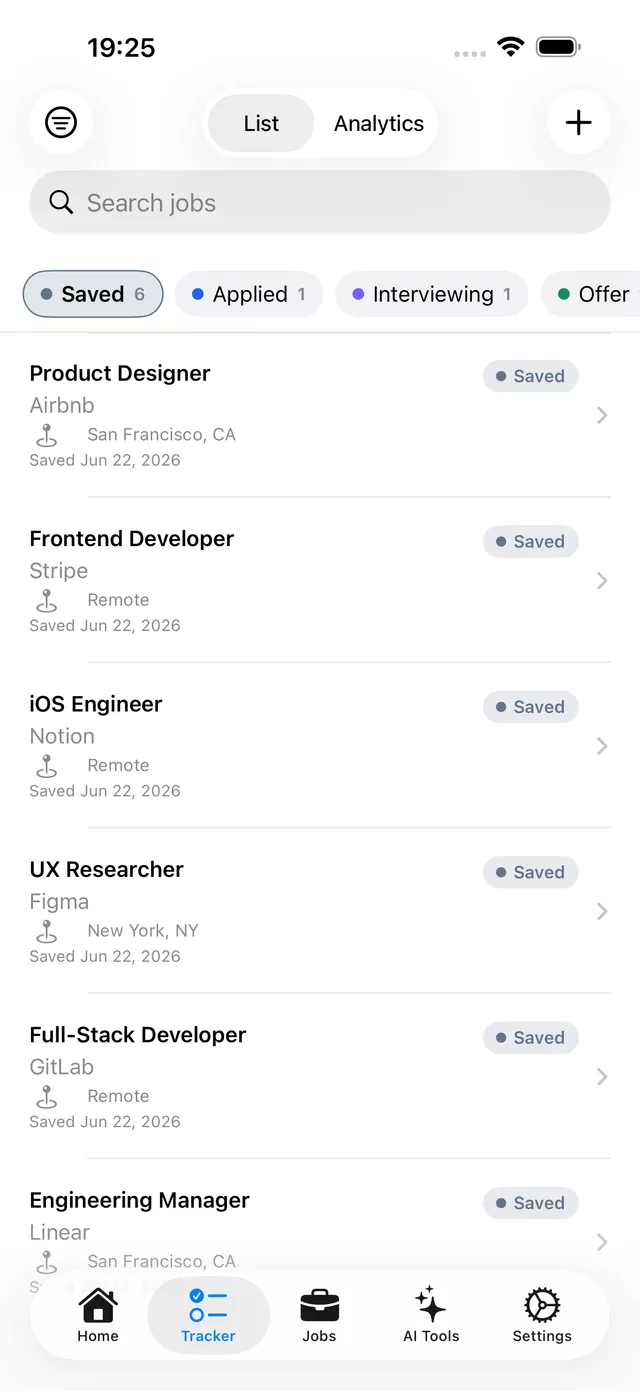
Un tableau pour votre recherche
Regroupez les offres par étape et cherchez dans tout ce que vous avez enregistré.
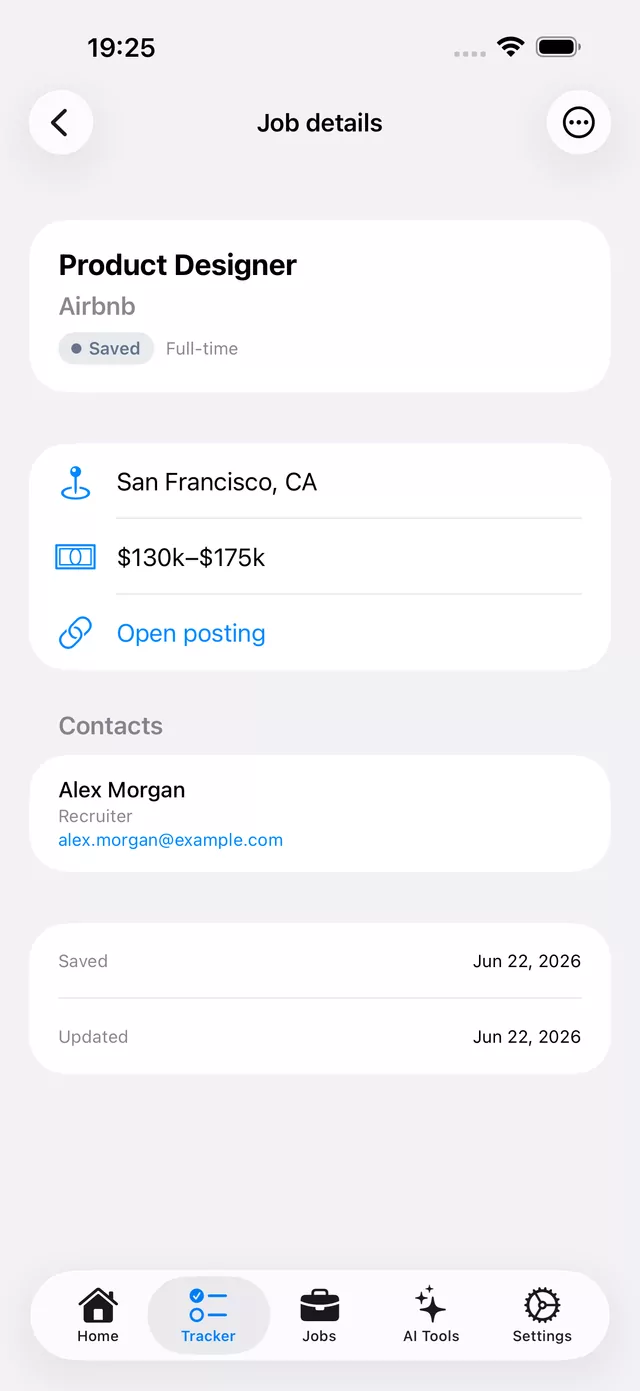
Tout sur le poste
Salaire, lieu, lien de l'offre, contacts et vos notes, réunis au même endroit.
Tout dans l'application
Une seule application pour toute la recherche d'emploi, du premier brouillon à l'entretien.
Créateur de CV
Éditeur en ligne avec un aperçu en direct de la page finale.
Modèles gratuits et premium
Mises en page sur une et deux colonnes pour tout secteur.
Lettres de motivation
Des modèles de lettres assortis à votre CV.
Analyse IA du CV
Un score et des corrections claires sur quatre catégories.
Score de correspondance d'emploi
Dans quelle mesure votre CV correspond à un poste précis.
Préparation aux entretiens
Des questions adaptées avec des points clés.
Recherche d'emploi
Trouvez et filtrez les postes, puis enregistrez les meilleurs.
Réglages de style
Polices, couleurs, marges et bordures.
Export PDF
Partagez, imprimez ou exportez un PDF soigné en un geste.
Questions fréquentes
Simple CV est-il gratuit ?
Oui. Vous pouvez créer un CV, utiliser les modèles gratuits et exporter un PDF sans frais. Les modèles premium et certains outils IA sont disponibles avec un abonnement.
Dans quel format Simple CV exporte-t-il ?
Un PDF prêt à imprimer qui s'affiche de façon identique sur tout appareil, pour que votre mise en page et vos polices ne cassent jamais à l'ouverture par un recruteur.
L'analyse IA note-t-elle vraiment mon CV ?
Oui. L'analyse IA donne un score global sur 100 et le détaille par qualité du contenu, complétude des sections, coordonnées et correspondance des mots-clés, avec des suggestions précises pour chacun.
Puis-je suivre des emplois et me préparer aux entretiens ?
Oui. Recherchez des emplois par intitulé et lieu, consultez un Score de correspondance d'emploi pour tout poste, et générez des questions d'entretien adaptées avec des points clés.
Les données de mon CV sont-elles privées ?
Votre CV vous appartient. Vous pouvez exporter ou supprimer vos données à tout moment, et vos CV se synchronisent de façon privée entre vos appareils.
Simple CV fonctionne-t-il sur iPad ?
Oui. Simple CV fonctionne sur iPhone et iPad, et vos CV restent synchronisés sur les deux.
Créez votre CV sur l'appareil que vous avez déjà sur vous
Téléchargez Simple CV gratuitement sur l'App Store, ou créez sur le web et reprenez là où vous vous êtes arrêté sur votre téléphone.